


Introduction
Twitch is a popular streaming platform that offers a wide variety of live and recorded content, including gaming streams, creative arts, music performances, and more. While Twitch provides viewers with the ability to watch videos on-demand within the platform, there are times when you may want to download and save your favorite Twitch videos for offline viewing or sharing with others. This is where the Twitch Downloader tool comes in handy. In this article, we will explore the features and benefits of Twitch Downloader and guide you through the process of using this powerful tool to download Twitch videos effortlessly.
The Advantages of Using Twitch Downloader
Twitch Downloader is a specialized tool designed to enhance your Twitch viewing experience by enabling you to download videos from the platform. Here are some key advantages of using Twitch Downloader:
- Offline Viewing: By downloading Twitch videos, you can enjoy them offline at your convenience, even without an internet connection. This is particularly useful when you want to watch your favorite gaming streams or creative content in areas with limited or no internet access.
- Save Highlights and VODs: Twitch is known for its exciting highlights and recorded streams. With Twitch Downloader, you can save those memorable moments and VODs (Videos on Demand) to rewatch them later or create your own compilations.
- Share with Others: Twitch Downloader allows you to download videos and share them with others. Whether you want to share a remarkable gaming play, a funny moment, or a creative performance, you can easily distribute the downloaded videos to friends, social media, or other platforms.
How to Use Twitch Downloader
Using Twitch Downloader is a simple process. Follow these steps to download Twitch videos:
- Step 1: Find the Video on Twitch – Start by visiting the Twitch website (www.twitch.tv) or launching the Twitch app on your device. Browse through the available streams or search for specific content using keywords or the streamer’s name.
- Step 2: Obtain the Video URL – Once you’ve found the video you want to download, copy its URL from the address bar of your web browser or from the share options of the Twitch app. Right-click on the URL and select “Copy” or use the keyboard shortcut “Ctrl + C” to copy it.
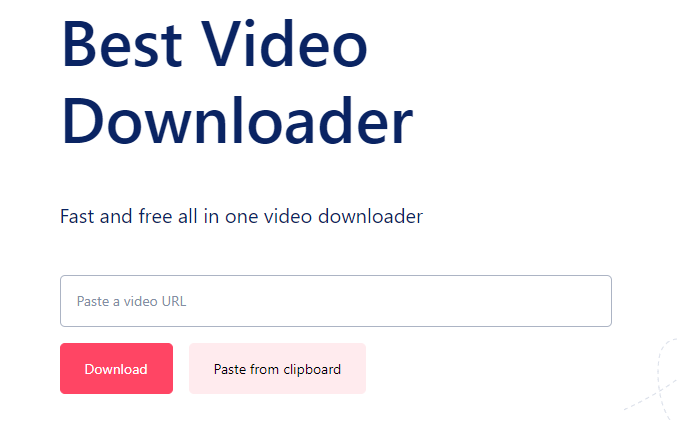
- Step 3: Visit Best Video Downloader – Open your web browser and go to “www.bestvideodownloader.net,” the trusted website that hosts various downloaders, including the Twitch Downloader.
- Step 4: Access Twitch Downloader – On the Best Video Downloader website, locate the section dedicated to Twitch Downloader. Click on the provided link or button to access the Twitch Downloader tool.
- Step 5: Paste the Video URL – In the Twitch Downloader interface, you will find a designated field where you can paste the URL of the Twitch video you want to download. Right-click on the field and select “Paste,” or use the keyboard shortcut “Ctrl + V” to paste the URL.
- Step 6: Initiate the Download – After pasting the video URL, click on the “Download” button. Twitch Downloader will analyze the URL and retrieve the video from Twitch’s servers.
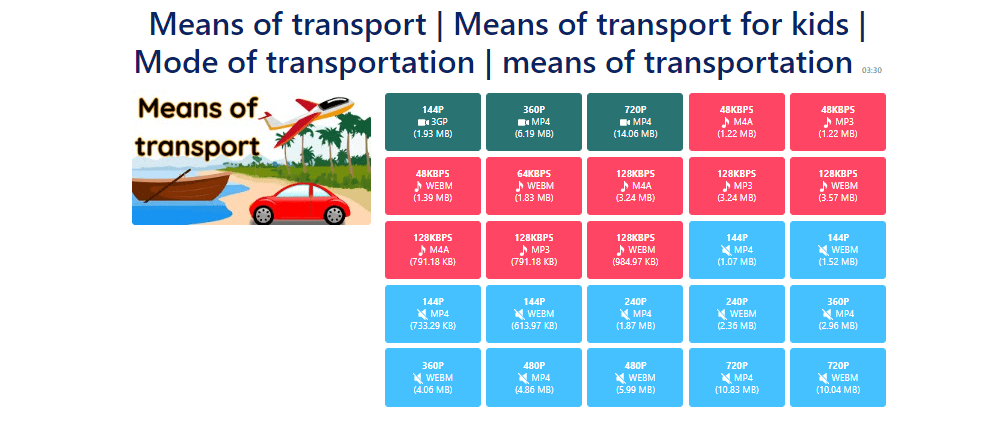
- Step 7: Select Download Quality and Format – Twitch Downloader will present you with options to choose the desired download quality and format for the video. Select the quality and format that meet your preferences and requirements.
- Step 8: Start the Download – Once you have selected the download quality and format, click on the “Download” button to start the downloading process. Twitch Downloader will save the video to your designated download folder on your device.
Explore Other Downloaders
In addition to Twitch Downloader, there are several other downloaders that cater to different platforms and content types. Here are some related downloaders you might find useful:
- 9GAG Downloader: 9GAG Downloader tools allow you to download funny videos and memes from the popular entertainment platform 9GAG. Simply paste the video URL, select the desired quality, and start the download.
- Vimeo Downloader: Vimeo Downloader is designed specifically for downloading videos from Vimeo, a platform known for its high-quality content. Enter the video URL, choose the format and quality, and download Vimeo videos effortlessly.
- Share Chat Downloader: Share Chat Downloader tools enable you to download videos, images, and GIFs from the Share Chat platform, a popular social media app in India. Simply paste the content URL, select the format, and download it to your device.
- iFunny Downloader: iFunny Downloader allows you to save funny videos and memes from the iFunny platform. Paste the video URL, select the desired quality, and initiate the download.
Conclusion
By utilizing these related downloaders, you can expand your collection of entertaining content and enjoy videos from various platforms. Remember to use reputable websites and tools for a safe and seamless downloading experience. Visit “www.bestvideodownloader.net” today to access Twitch Downloader and explore other downloaders for an enhanced video downloading experience.
 9GAG
9GAG Bandcamp
 Bilibili
 Bitchute
 Blogger
 BluTV
BluTV Buzzfeed
 Capcut
 Chingari
 Dailymotion
 Douyin
 ESPN
ESPN Facebook
 Febspot
 Flickr
 Ifunny
 IMDB
IMDB Imgur
Imgur Instagram
 Izlesene
 Kwai
Kwai Lemon8
 Likee
Likee LinkedIn
 Loom
Loom Mashable
 Mastodon
 Medal
Medal Mixcloud
 Moj
Moj MxTakatak
 Ok.ru
Ok.ru Pinterest
 PuhuTV
 Reddit
 Rumble
 Share Chat
 Snapchat
 Soundcloud
 Streamable
 Substack
 TED
TED Telegram
 Threads
 Tiktok
 Tumblr
 Twitch
 Vimeo
Vimeo VK
VK YouTube
 X
X