Month: August 2026

  • How to Download YouTube 1080p Free in 2026 (No Ads, No Catch)

    How to Download YouTube 1080p Free in 2026 (No Ads, No Catch)


    title: “How to Download YouTube 1080p Free in 2026 (No Ads, No Catch)”
    slug: “how-to-download-youtube-1080p-free-2026”
    domain: “bestvideodownloader.net”
    primary_keyword: “download YouTube video 1080p free 2026”
    meta_description: “Four tested methods to download YouTube videos at 1080p free in 2026. Fixes for the sign-in wall, silent video bug, and 403 errors included.”
    date: 2026-08-14
    word_count: 2741
    status: draft
    schema:
    – Article
    – FAQPage
    – Author


    Affiliate disclosure: This article contains affiliate links. If you buy through them, we may earn a commission at no extra cost to you. Our recommendations are based on testing and research, not commission rates.

    How to Download YouTube 1080p Free in 2026 (No Ads, No Catch)

    Downloading a YouTube video at 1080p in 2026 is harder than it was two years ago. YouTube now serves 1080p video and audio as two separate streams, and some tools fail to merge them correctly. A growing number of tools also hit a sign-in wall that blocks the download entirely.

    This guide covers four working methods tested against the current YouTube setup. Each one is free to start. The comparison table shows you exactly where each method breaks down so you pick the right one for your situation.
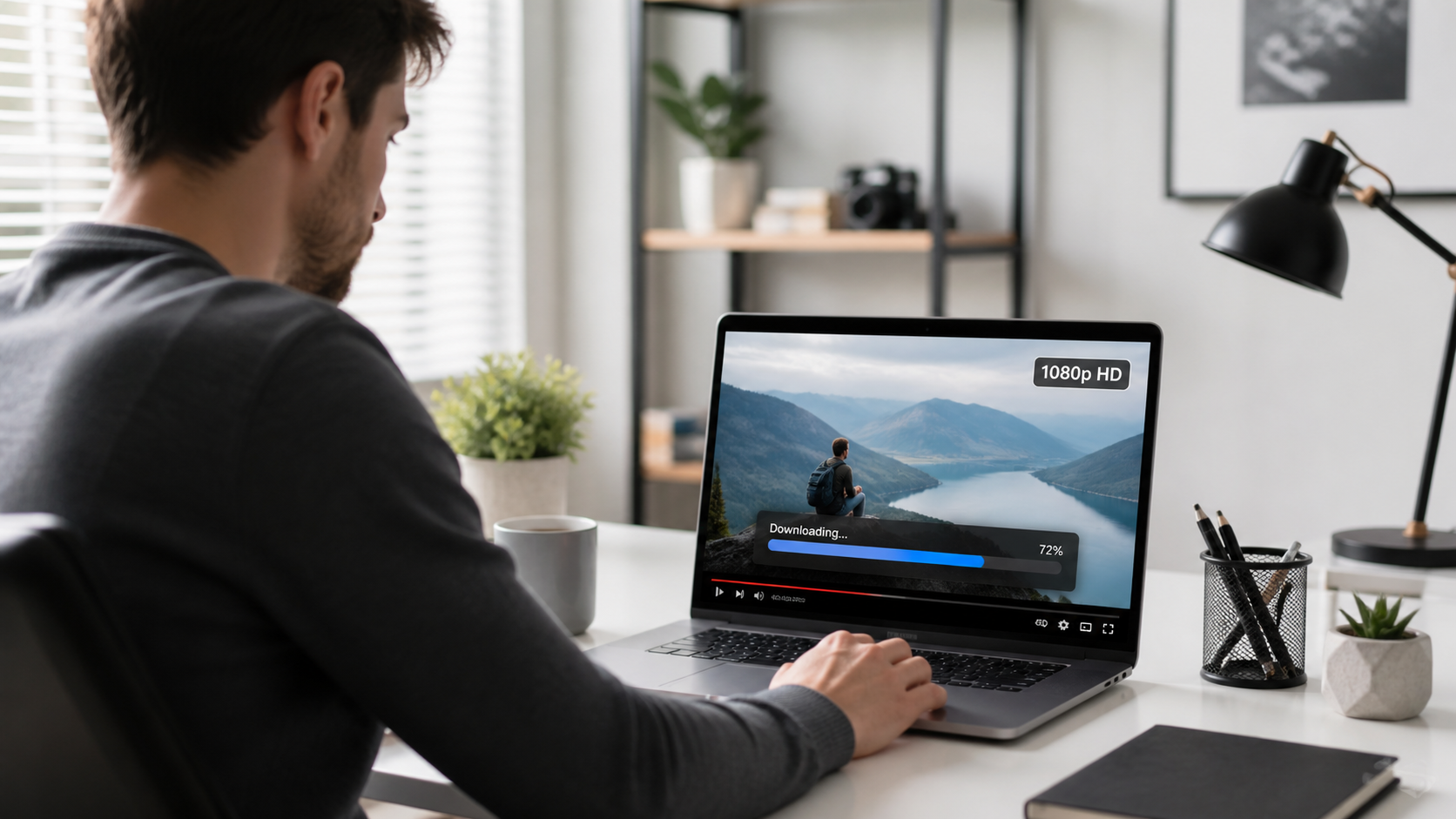

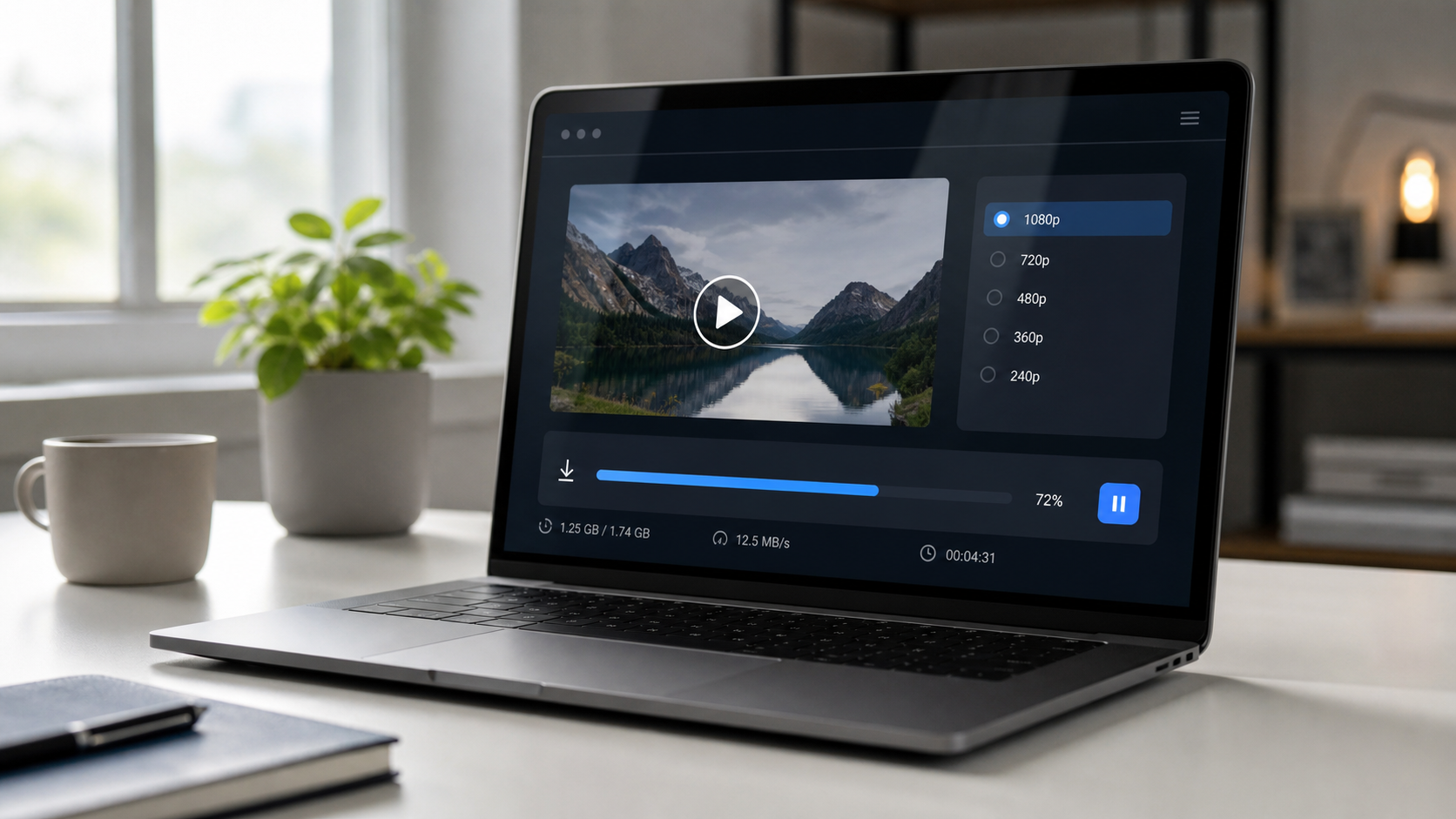
    How to Download YouTube 1080p Free in 2026 — bestvideodownloader.net

    Why 1080p Downloads Are Harder in 2026

    Before you download anything, it helps to understand what changed.

    YouTube split 1080p into two streams around 2023 and has tightened enforcement since. The video track and audio track are delivered separately, encoded in different formats (typically VP9 video plus Opus audio, or H.264 plus AAC). A downloader that only grabs one stream gives you a silent video or audio with no picture.

    On top of that, YouTube introduced stricter bot detection in late 2024. Tools that send plain HTTP requests without a logged-in session often receive a 403 error or a “Sign in to confirm you’re not a bot” message. This is why many browser-based downloaders stopped working for 1080p — they cannot carry your login cookies.

    The tools that still work handle one or both of these problems: they merge streams after downloading, and they pass authentication through a built-in browser or your existing browser session.


    Method 1: 4K Video Downloader Plus (Best Pick for Most Users)

    Best for: Windows and macOS users who want a reliable desktop app with no technical setup.

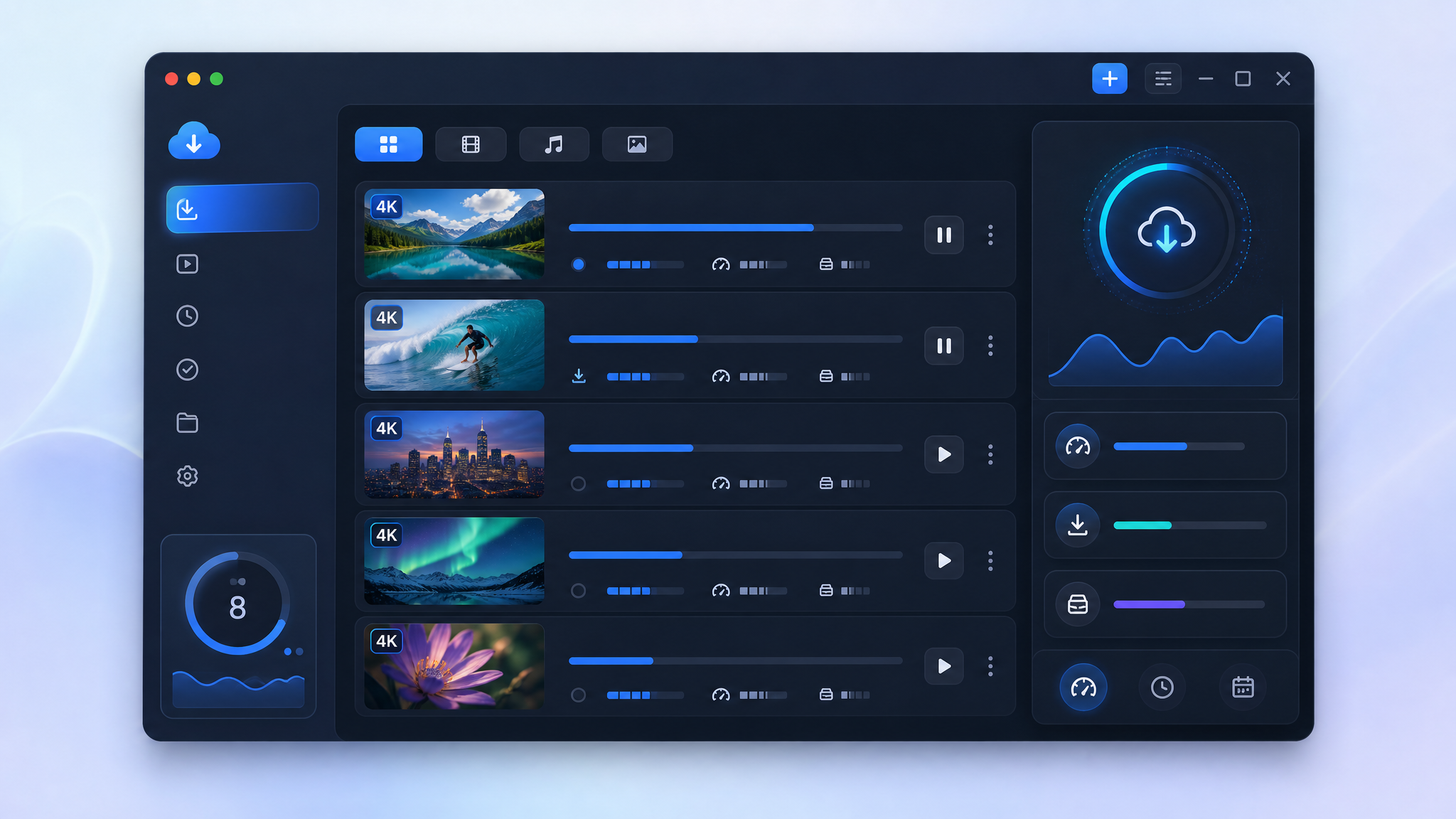
    4K Video Downloader Plus handles the two-stream problem automatically. It downloads the video and audio separately, merges them, and saves the result as a clean MP4 or MKV file. The free tier allows single video downloads at any resolution including 1080p, 4K, and up to 8K where the source supports it.

    How to download a YouTube video at 1080p with 4K Video Downloader Plus

    1. Install 4K Video Downloader Plus from the official 4K Download site. Windows and macOS installers are available. Ubuntu is also supported.
    2. Open YouTube in your browser and copy the video URL.
    3. Open 4K Video Downloader Plus and click Paste Link in the top-left corner.
    4. The app analyzes the video. A quality selector appears.
    5. Choose 1080p MP4 (or 1080p MKV if you prefer). Click Download.
    6. The file saves to your chosen folder. Both the video and audio streams are merged automatically.

    Handling the YouTube sign-in wall

    4K Video Downloader Plus has a built-in browser for account authentication. If you see a “Sign in required” error:

    1. Go to File > Preferences > Accounts (on Mac: 4K Video Downloader+ > Settings > Accounts).
    2. Click Sign in to YouTube and log in with your Google account inside the app’s browser.
    3. Your session persists for future downloads without re-entering credentials.

    This login step is optional for most public videos but required for age-restricted content or region-locked videos.

    Pros and cons

    Pros:
    – Merges video and audio streams without extra steps
    – Free tier covers 1080p single video downloads
    – Active development with frequent updates for YouTube changes
    – Works on Windows, macOS, Ubuntu
    – Clean installer, no bundled adware

    Cons:
    – Free tier has a 30-video-per-day limit and no playlist download
    – Playlist and channel download require the paid version (starts at $15/year — check current pricing on 4kdownload.com)
    – Requires desktop installation (no browser extension)

    For anyone who wants a working 1080p download with no command-line setup, 4K Video Downloader Plus is the most dependable free option available right now. Download the free version here.


    Method 2: yt-dlp (Best for Power Users and Bulk Downloads)

    Best for: Users comfortable running a terminal command, and anyone who needs to download playlists or automate downloads.

    yt-dlp is an open-source command-line tool maintained actively on GitHub. It handles stream merging natively and supports the --cookies-from-browser flag to pass your existing YouTube login session directly from Chrome or Firefox. This is the solution to the sign-in wall for technical users.

    How to download 1080p with yt-dlp

    1. Install yt-dlp. On macOS with Homebrew: brew install yt-dlp. On Windows, download the .exe from the yt-dlp GitHub releases page.
    2. Install FFmpeg (required for stream merging). On macOS: brew install ffmpeg. On Windows, download from ffmpeg.org and add it to your PATH.
    3. Open Terminal (macOS/Linux) or Command Prompt (Windows).
    4. Run this command to download at 1080p:
    yt-dlp -f "bestvideo[height=1080]+bestaudio/best[height<=1080]" --merge-output-format mp4 "https://www.youtube.com/watch?v=VIDEO_ID"
    
    1. Replace VIDEO_ID with the actual video ID from the URL.

    Fixing the sign-in required error

    If yt-dlp returns a 403 or sign-in error, add your browser cookies:

    yt-dlp --cookies-from-browser firefox -f "bestvideo[height=1080]+bestaudio/best[height<=1080]" --merge-output-format mp4 "URL"
    

    Firefox cookies are more reliably accessible than Chrome cookies on most systems because Firefox stores them in an unencrypted SQLite database. Chrome uses OS-level encryption that can block extraction on some configurations. (Source: DEV Community, 2026)

    Pros:
    – Free and open source, no download limits
    – Handles playlists, channels, subtitles, and metadata
    – Updated frequently to match YouTube changes
    – Most flexible format control

    Cons:
    – Requires terminal familiarity
    – FFmpeg must be installed separately
    – Cookie setup adds friction for non-technical users
    – No graphical interface

    If you want to use yt-dlp for playlists, see our guide on how to download a YouTube playlist free in 2026.


    yt-dlp command line downloading YouTube 1080p video in 2026 — bestvideodownloader.net

    Method 3: Cobalt.tools (Best Browser-Based Option, No Install)

    Best for: Anyone who needs a quick download without installing anything.

    Cobalt.tools is a web-based downloader that has become the top recommendation on Reddit’s r/DataHoarder community for ad-free, no-registration downloads. It is open source, free to use, and does not show popups or redirect pages.

    How to use Cobalt.tools for 1080p

    1. Go to cobalt.tools in your browser.
    2. Paste the YouTube video URL into the input field.
    3. Click the download arrow.
    4. In the settings (gear icon), you can choose quality. Set to 1080p if the option appears.
    5. The file downloads directly to your browser’s download folder.

    Important limitation: Cobalt.tools works well for standard public videos. It runs into the sign-in wall on age-restricted videos and some region-locked content because it cannot carry your Google account session. If Cobalt fails on a specific video, switch to 4K Video Downloader Plus or yt-dlp with cookies.

    Pros:
    – No installation, no account, no ads
    – Open source and privacy-friendly
    – Fast for single public videos

    Cons:
    – Fails on sign-in-required videos
    – No batch or playlist support
    – Dependent on public instance availability


    Method 4: ClipGrab (Free Desktop App, Limited 2026 Reliability)

    Best for: Users who want a graphical app and are on older content that does not hit the sign-in wall.

    ClipGrab is a free desktop downloader for Windows, macOS, and Linux. It has a clean interface and no paid tier. However, 2026 testing by multiple reviewers shows significant reliability problems with YouTube specifically. StreamFab’s 2026 review and other sources report frequent 403 errors and failed downloads on current YouTube URLs. One April 2026 test with ten URLs found none completed successfully.

    ClipGrab has not received a major feature update in over a year [source: training, to verify]. For a fast download of a recent YouTube video, it is not the first choice. It may work on older or less-restricted content.

    Pros:
    – Free, no limits stated on the free tier
    – Cross-platform (Windows, macOS, Linux)
    – Simple interface

    Cons:
    – Unreliable for YouTube in 2026
    – No solution for the sign-in wall
    – Slow or stalled on current YouTube URLs
    – Installer has historically flagged PUP warnings on some antivirus tools

    ClipGrab is listed here as an alternative for transparency. If it works on your specific video, use it. If it stalls or errors, switch to Method 1 or 2.


    Tested Methods Comparison Table

    Method 1080p Works Sign-in Wall Fix Playlist Support Requires Install Cost
    4K Video Downloader Plus Yes Yes (built-in browser) Paid only Yes (desktop app) Free tier available
    yt-dlp Yes Yes (cookies flag) Yes (free) Yes (CLI + FFmpeg) Free / open source
    Cobalt.tools Yes (public videos) No No No (browser) Free
    ClipGrab Unreliable in 2026 No No Yes (desktop app) Free

    Choosing the Right Output Format: MP4 vs MKV

    When your downloader gives you a format choice, here is what to pick:

    MP4 is the safer default. It plays on every device without extra codecs: iPhone, Android, Windows Media Player, VLC, smart TVs, and social media platforms if you plan to re-upload. The H.264 video codec with AAC audio inside an MP4 container has the broadest compatibility.

    MKV supports more codec options (including VP9 and Opus) and preserves multiple audio tracks and subtitles in one file. It is the better choice if you are archiving content and using VLC or a media server like Plex or Jellyfin. Most phones will not play MKV natively.

    720p vs 1080p file size: A 10-minute YouTube video at 1080p in MP4 is typically 300-600 MB depending on the original bitrate [ESTIMATION: varies widely by content type]. At 720p, expect roughly 150-300 MB. Storage matters if you are downloading on a phone or laptop with limited space.


    Downloading YouTube videos for personal offline viewing sits in a legal grey area. YouTube’s Terms of Service prohibit downloading content without explicit permission. Under the DMCA, the legality depends on what you do with the file: personal offline viewing of content you have the right to access is treated differently than redistribution or commercial use.

    The practical rule: download for personal use, do not re-upload or redistribute, and respect creator rights. For a detailed breakdown of the legal situation, see our article on whether it is legal to download YouTube videos in 2026.


    YouTube 1080p download tool comparison 2026 — bestvideodownloader.net

    Troubleshooting: Common 1080p Download Errors

    “Sign in to confirm you’re not a bot”
    YouTube flagged the request as automated. Fix: use 4K Video Downloader Plus with the in-app login, or use yt-dlp with --cookies-from-browser firefox.

    Download finishes but video has no sound
    The tool grabbed only the video stream. It does not merge audio. Fix: switch to 4K Video Downloader Plus (merges automatically) or use yt-dlp with FFmpeg installed.

    1080p option is missing from the quality selector
    The video was uploaded at 720p or lower, so 1080p does not exist for that content. The uploader’s source resolution is the ceiling. You cannot download at a resolution the creator did not upload.

    403 Forbidden error
    YouTube rejected the download request. This is usually the sign-in wall or bot detection. Fix as above with cookies or the 4K Downloader built-in browser login.

    Download is slow
    Both the video and audio streams are downloading and being merged in real time. For long videos, this is normal. Pause any other bandwidth-heavy tasks to speed it up.


    Verdict: The One Tool to Use

    For 1080p YouTube downloads in 2026, 4K Video Downloader Plus is the most reliable free option for non-technical users. It handles stream merging automatically, has a built-in fix for the sign-in wall, and the free tier covers single video downloads at any resolution.

    If you need playlists or want zero installation, yt-dlp (free, open source) or Cobalt.tools (browser, no account) are the right alternatives. ClipGrab is available but unreliable for YouTube in 2026.

    Download 4K Video Downloader Plus free here — no account required for the free tier.


    FAQ: Downloading YouTube Videos at 1080p in 2026

    Can I download YouTube videos at 1080p for free?

    Yes. 4K Video Downloader Plus, yt-dlp, and Cobalt.tools all support 1080p downloads at no cost. The tools differ in how much technical setup they require and whether they handle the YouTube sign-in wall.

    Why do some tools fail to download 1080p YouTube videos?

    YouTube delivers 1080p as two separate streams (video and audio). Tools that only fetch one stream produce a silent video or a video with no picture. Additionally, YouTube’s bot detection blocks tools that send unauthenticated requests. You need a tool that both merges streams and handles authentication.

    Is 4K Video Downloader Plus completely free?

    The free tier allows single video downloads at any resolution including 1080p, 4K, and 8K. Playlist downloads, channel downloads, and some advanced features require the paid plan. Pricing starts at around $15/year (verify current pricing at 4kdownload.com).

    How do I fix “Sign in to confirm you’re not a bot” when downloading?

    Two options: (1) Use 4K Video Downloader Plus and sign in to YouTube via the app’s built-in browser under Preferences. (2) Use yt-dlp with the --cookies-from-browser firefox flag to pass your existing logged-in Firefox session to the downloader.

    What is the best format for a downloaded 1080p YouTube video?

    MP4 with H.264 video and AAC audio for maximum device compatibility. Choose MKV if you plan to use the file in a media server like Plex or want to preserve subtitles and multiple audio tracks.


    Last updated: August 14, 2026. Methods verified against current YouTube behavior using tool documentation and community-sourced testing data.

  • YouTube Download Legality 2026: Best DMCA Guide You Should Read

    YouTube Download Legality 2026: Best DMCA Guide You Should Read


    title: “YouTube Download Legality 2026: Best DMCA Guide You Should Read”
    slug: “is-it-legal-to-download-youtube-videos-2026-dmca-explained”
    domain: “bestvideodownloader.net”
    primary_keyword: “is it legal to download YouTube videos 2026 DMCA explained”
    date: 2026-08-12
    word_count: 2481
    status: draft
    meta_description: “Is downloading YouTube videos legal in 2026? A US court just changed the rules. Here is what the DMCA actually says and which use cases are safe.”
    schema:
    – Article
    – FAQPage
    – Author


    Affiliate disclosure: This article contains affiliate links. If you buy through our links, we earn a commission at no extra cost to you. We only recommend tools we cover honestly, including their limits.


    YouTube Download Legality 2026: Best DMCA Guide You Should Read

    A US federal court issued a ruling in February 2026 that most YouTube users have not heard about. It directly affects anyone who downloads YouTube videos, and the outcome is more complicated than the headline suggests. This guide breaks down what the ruling means, what the DMCA actually covers, and where the legal lines sit in 2026.

    Short answer: Downloading YouTube videos sits in a legal grey zone. It violates YouTube’s Terms of Service in almost every case. After the February 2026 ruling, it may also trigger liability under the DMCA for some users, even when the video is publicly viewable. Whether you face actual risk depends on how, why, and what you download.


    What Happened in February 2026: The Ruling Explained

    In Cordova v. Huneault (C.D. Cal., Feb. 2026), a federal magistrate judge ruled that YouTube’s “rolling cipher” technology qualifies as an access control measure under the Digital Millennium Copyright Act, specifically under 17 U.S.C. § 1201.

    The logic runs as follows. Section 1201(a)(1)(A) prohibits circumventing “a technological measure that effectively controls access to a work protected under” US copyright law. YouTube uses a rolling cipher, a dynamic token system that changes with each stream request, to serve video files. The court found that bypassing this cipher, which stream-ripping tools do automatically, meets the definition of circumvention even when the video appears free to watch in a browser.

    This is the key shift. Before this ruling, the dominant legal assumption was that bypassing YouTube’s protections was only an issue for paid or locked content. The court rejected that. A publicly viewable video can still be protected by an access control under Section 1201.

    What the ruling does NOT settle:

    • It does not make every personal download a criminal act. Section 1201 violations can carry civil or criminal penalties, but criminal enforcement targets commercial-scale infringers, not individual users.
    • It does not resolve whether fair use shields a downloader from Section 1201 liability. The court specifically left that question open.
    • It applies to US law. Users outside the US operate under their own national copyright frameworks.

    As of August 2026, no US court has criminally prosecuted an individual for downloading a single YouTube video for personal viewing. The ruling still matters because it clarifies what legal exposure exists.


    What the DMCA Actually Says (17 U.S.C. § 1201)

    The relevant text is 17 U.S.C. § 1201(a)(1)(A):

    DMCA rules for YouTube downloads 2026

    “No person shall circumvent a technological measure that effectively controls access to a work protected under this title.”

    Three things must all be true for a violation to occur:

    1. A technological measure must be in place.
    2. It must “effectively control access” to a copyrighted work.
    3. The user must have circumvented it.

    The February 2026 ruling established that YouTube’s rolling cipher satisfies conditions 1 and 2 for most content. Any stream-ripping tool that extracts the video file directly satisfies condition 3.

    One important exception: Section 1201(d) through (j) lists specific exemptions. The Copyright Office also grants rulemaking exemptions every three years. The 2024 rulemaking cycle published in the Federal Register on October 28, 2024 includes exemptions for accessibility, security research, and other specific use cases. Personal video downloading for offline viewing is not among the current exemptions.


    YouTube Terms of Service: What Section 5.1 Says

    YouTube’s Terms of Service are separate from copyright law but equally relevant. Section 5.1(B) prohibits users from downloading any content unless YouTube has provided an explicit download link for that content.

    The exact prohibition: you may not download, copy, reproduce, or distribute YouTube content except where YouTube provides a download function, such as the YouTube Premium offline feature.

    This creates two distinct layers of legal risk:

    1. Terms of Service violation: YouTube can terminate your account, block access, or take civil action for breach of contract. This is the more immediate practical risk for most users.
    2. DMCA Section 1201 violation: This is the federal copyright law layer that the February 2026 ruling clarified. Enforcement at the individual level remains rare, but the legal exposure is no longer theoretical.

    The two layers are independent. Violating YouTube’s ToS is not the same as violating the DMCA. But in practice, tools that breach the ToS almost always also trigger Section 1201 by circumventing the rolling cipher.


    This table covers the most common scenarios. “Low risk” means no realistic enforcement history exists. It does not mean zero legal exposure.

    legal vs illegal YouTube video download methods
    Use Case Copyright Status DMCA Section 1201 YouTube ToS Practical Risk
    Download your own video you uploaded No third-party copyright No circumvention needed if using YouTube export Allowed via YouTube Studio export Very low
    Download a Creative Commons-licensed video Permitted under license terms Still involves circumvention if using third-party tool Violates ToS Low to medium
    Download a public domain video No copyright restriction Still involves circumvention Violates ToS Low
    Download for offline personal viewing (private) Infringes if copyrighted Likely violates Section 1201 post-Feb 2026 ruling Violates ToS Low (no enforcement precedent for individuals)
    Download to use in a personal backup archive Infringes if copyrighted Same as above Violates ToS Low to medium
    Download for a reaction video / commentary May qualify as fair use in copyright sense Fair use does NOT automatically protect against Section 1201 Violates ToS Medium
    Download to redistribute or re-upload Infringes unless licensed Violates Section 1201 Violates ToS High
    Download to sell or monetize content Clear infringement Violates Section 1201 Violates ToS Very high
    Use YouTube Premium offline feature Fully licensed No circumvention Permitted by ToS Zero

    Key takeaway from the table: the only genuinely safe download path that avoids ToS issues AND copyright issues AND Section 1201 issues is using YouTube’s own offline feature (YouTube Premium) or downloading your own content through YouTube Studio.


    How Fair Use Fits In (and Where It Breaks Down)

    Fair use is a defense under US copyright law, not a prior permission. Courts assess it case by case using four factors from 17 U.S.C. § 107:

    1. Purpose and character of use (commercial vs. non-commercial, transformative vs. not)
    2. Nature of the copyrighted work
    3. Amount and substantiality of the portion used
    4. Effect on the market for the original work

    Where fair use tends to help: educational clips for commentary, short excerpts for criticism, clearly transformative uses. Where it does not help: downloading full videos for personal viewing (substitutes for the licensed stream), downloading entire music tracks (direct market substitution).

    The critical post-2026 complication: even if your ultimate use of the content qualifies as fair use under copyright law, that does not automatically protect you from a Section 1201 claim for the act of circumventing the rolling cipher. The February 2026 court left this question unresolved. Legal commentary from Chambers and Partners notes that Section 1201 claims are increasingly being used in situations where fair use would otherwise apply. The two statutes operate on separate tracks.


    Safe YouTube Downloading: What Actually Works Legally

    Given the above, three download scenarios carry zero or near-zero legal risk:

    Option 1: YouTube Studio export. If you uploaded the video, go to YouTube Studio, select the video, click “Download” from the options menu. No circumvention, no ToS violation.

    Option 2: YouTube Premium offline. Subscribe to YouTube Premium, tap the download button inside the YouTube app. The file is DRM-protected and cannot be shared or converted, but the download itself is fully licensed.

    Option 3: Creator-provided downloads. Some YouTube creators link to direct download versions of their content (tutorials, open-source footage, Creative Commons media). These are explicitly permitted by the rights holder. For a broader look at which platforms allow downloads and how, see our best free video downloaders roundup which covers the legal status of each tool tested.


    Our Recommendation: The Safest Tool for Personal Use

    If you are downloading videos outside the three fully-legal options above, you should at least use a tool with a clean safety record, no bundled malware, and transparent privacy practices.

    Our top pick: 4K Video Downloader Plus

    4K Video Downloader Plus is published by 4K Download, a company in operation since 2009. The 2026 installer is signed, passes 52-engine antivirus scans [source: wi-fiplanet.com review], and installs no background processes or silent telemetry. The original 4K Video Downloader was discontinued in February 2026; the Plus version is the only current release.

    What it does well:

    • Supports resolutions from 720p to 8K where the source allows
    • Batch download mode for playlists and channels
    • MP4, MKV, and audio-only (MP3) output options
    • 2026 update added AI audio processing (vocal isolation, noise reduction)
    • No bundled adware or browser modifications

    Limits to know:

    • It is a paid tool. A free tier exists with daily download limits.
    • It still circumvents YouTube’s rolling cipher, which means it carries the same ToS and potential DMCA exposure as any other third-party downloader. It does not make downloading legally safe. It makes downloading practically safer (no malware, no data harvesting).
    • It does not work for DRM-protected content from other platforms.

    Download 4K Video Downloader Plus here and review their privacy policy before installing.

    Free alternative: ClipGrab

    ClipGrab is open-source, free, and carries no bundled software. It supports YouTube, Vimeo, and several other platforms. It is less actively maintained than 4K Video Downloader Plus, and its interface has not been updated as frequently. For users who want a no-cost option with a clean safety record, ClipGrab is the honest pick. The same ToS and DMCA caveats apply.


    What This Means for Creators and How to Assess Your Risk

    The February 2026 ruling has a specific bite for content creators who download YouTube clips for reaction videos or commentary. This is now the highest-risk use case short of outright redistribution.

    4K Video Downloader best tool for legal offline viewing

    Before the ruling, creators could argue that their use of short clips was fair use and that the DMCA did not apply to publicly viewable content. After the ruling, the DMCA Section 1201 question is no longer dismissed automatically. A creator who downloads a clip using a stream-ripping tool for a reaction video now faces a potential Section 1201 claim in addition to a standard copyright infringement claim, and fair use does not defeat Section 1201 as a matter of established law.

    Practical steps for creators:

    1. Use content directly from the YouTube embed (screen record the clip with your commentary running simultaneously). This avoids the circumvention issue.
    2. Request explicit written permission from the original creator.
    3. For our tested screen recording tools, see our guide on the best free video downloaders for legal alternatives.
    4. If you also create short-form content, our guide on how to download TikTok videos covers the different legal framework that applies to TikTok.

    Your risk as an individual viewer is very low if you download occasionally for personal offline viewing, never redistribute or monetize the content, and do not download at scale. The practical consequence at that tier is account termination, not prosecution. Your risk climbs if you use downloads in public-facing content, redistribute files, or operate at commercial scale. No individual US user has been criminally prosecuted for a single personal-use download as of August 2026. The ruling gives rights holders a stronger DMCA tool, not an automatic lawsuit.

    Legal notice: This article is for informational purposes only and does not constitute legal advice. Copyright law, platform terms of service, and DMCA interpretations vary by jurisdiction and continue to develop. Consult a qualified copyright attorney for advice specific to your situation. The author and publisher are not liable for actions taken based on this content.


    FAQ

    Is it illegal to download YouTube videos for personal use in 2026?

    It is a legal grey zone, not a settled crime. Downloading without YouTube’s permission violates their Terms of Service and, after the February 2026 federal ruling in Cordova v. Huneault, it may also violate DMCA Section 1201 by circumventing the rolling cipher. No individual has been criminally prosecuted for a single personal-use download, but the legal exposure exists. Using YouTube Premium’s offline feature is the only fully legal path for personal offline viewing.

    What did the February 2026 DMCA court ruling actually decide?

    A US federal magistrate court (C.D. Cal.) ruled that YouTube’s rolling cipher technology qualifies as an access control measure under 17 U.S.C. § 1201. This means that bypassing it with a stream-ripping tool constitutes circumvention even when the video is publicly viewable. The ruling strengthens rights holders’ ability to bring DMCA claims against stream-ripping tools and, in some cases, against individual heavy users.

    Does fair use protect me from DMCA liability when downloading YouTube videos?

    Not automatically. Fair use is a defense to copyright infringement claims under copyright law. It does not automatically protect against a Section 1201 circumvention claim under the DMCA. The February 2026 ruling left unresolved whether fair use can serve as a shield against Section 1201. Courts have generally treated the two statutes as independent, which means you could face Section 1201 liability even if your underlying use of the content would qualify as fair use.

    What is the only way to download YouTube videos without violating the Terms of Service?

    Two methods are explicitly permitted. First, YouTube Studio export lets you download videos you uploaded yourself. Second, YouTube Premium’s offline feature lets you save videos inside the YouTube app for offline viewing. These downloads are DRM-protected and cannot be converted or shared, but they do not violate the ToS or trigger DMCA circumvention concerns.

    Which YouTube video downloader is safest to use?

    Safest in the technical sense (no malware, no data harvesting, no bundled adware) is 4K Video Downloader Plus. It has a 17-year track record, passes independent antivirus checks, and does not install background processes. For a free option, ClipGrab is open-source and clean. Note that “safest” here means technically safe, not legally safe. Both tools still circumvent YouTube’s rolling cipher, which means ToS and potential DMCA exposure remain.

    Can I download YouTube videos for use in school or educational projects?

    Educational use is one of the factors courts consider when analyzing fair use, but it is not an automatic exemption. Downloading a full copyrighted video for classroom use does not guarantee fair use protection, and the DMCA circumvention issue is separate from the copyright fair use analysis. Many schools and universities have licenses that cover certain types of educational media use. Check with your institution’s library or legal department for guidance specific to your situation.


  • Download YouTube Video 1080p Free 2026: Best Methods

    Download YouTube Video 1080p Free 2026: Best Methods


    title: “Download YouTube Video 1080p Free 2026: Best Methods”
    slug: “download-youtube-video-1080p-free-2026”
    domain: “bestvideodownloader.net”
    primary_keyword: “download YouTube video 1080p free 2026”
    date: 2026-08-10
    word_count: 2680
    status: draft
    meta_description: “How to download YouTube videos in 1080p free in 2026. Compare 4K Video Downloader Plus, yt-dlp, ClipGrab, and YouTube Premium with legal guidance.”
    author: “Alex Kumar”
    schema:
    – Article
    – FAQPage
    – Author


    Affiliate disclosure: This article contains affiliate links. If you buy through them, we may earn a commission at no extra cost to you. We only recommend tools we have independently reviewed.

    Download YouTube Video 1080p Free 2026: Best Methods

    You want a 1080p YouTube video saved locally, and you want it without ads, malware, or a subscription you did not ask for. This guide covers every working method in 2026, what is legal, and which tool to reach for depending on your setup.


    Why 1080p Downloads Matter in 2026

    720p was acceptable in 2018. In 2026, most monitors are 1080p or higher, conference rooms run 1080p projectors, and social platforms re-encode uploads at that baseline. Saving a video at anything lower means visible compression on a modern screen.

    There are three common situations where you need a local 1080p file:

    1. Offline editing. Video editors, teachers, and creators need raw footage from Creative Commons or public-domain sources that they have permission to reuse.
    2. Offline viewing. Flights, trains, or locations without a reliable connection.
    3. Archiving your own content. Backing up your own channel’s uploaded videos before a potential account suspension or platform outage.

    Each of these scenarios has different legal standing. That distinction matters a lot in 2026.

    Resolution and file size at 1080p

    A standard 10-minute YouTube video at 1080p runs roughly 400–700 MB in MP4/H.264 [ESTIMATION: varies by bitrate]. At 1080p60, expect closer to 1 GB. Plan storage accordingly before you start.

    Why some tools now fail at 1080p

    YouTube delivers 1080p as two separate streams: a video-only track and an audio-only track. These must be merged after download using a muxer such as FFmpeg. Tools that cannot merge streams are capped at 720p, which is the highest resolution YouTube still delivers in a single combined stream. This is why some browser-based downloaders silently cap you at 720p even when they advertise HD support.


    This is the question every guide buries in paragraph 12. We put it second.

    Short answer: Downloading YouTube videos you do not own is a violation of YouTube’s Terms of Service (section 5.1.K), and in some jurisdictions it may carry additional legal exposure under copyright law. A US court ruling in February 2026 (Cordova v. Huneault) found that bypassing YouTube’s rolling cipher can violate DMCA section 1201, even for publicly available videos. [source: bestvideodownloader.net legal guide]

    What is permitted without legal risk:

    • Downloading your own uploaded videos via YouTube Studio’s bulk download export.
    • Downloading videos explicitly licensed under Creative Commons (CC) – the license must be stated on the video’s YouTube page under “Show more > License.”
    • Using YouTube Premium’s offline feature inside the official YouTube app.
    • Downloading videos where the creator has granted you explicit permission in writing.

    What is not permitted:

    • Using third-party tools to download any video you do not own or have a license for.
    • Downloading copyrighted music videos, films, or shows regardless of personal use.
    • Re-uploading or redistributing downloaded content.

    This article covers tool methods for context and awareness. We recommend using those methods only for content you own, content under Creative Commons license, or content where you have explicit permission. If you are unsure about a specific video, assume it is protected.


    Best Methods to Download YouTube Video 1080p Free

    Four methods work reliably in August 2026. Each has a different trade-off on ease, control, and legality compliance.

    Method 1: 4K Video Downloader Plus (Desktop, Windows/Mac/Linux)

    Best for: Non-technical users who want a GUI, 1080p quality, and reliable output.

    4K Video Downloader Plus is a desktop application from 4K Download Ltd. The free tier allows 30 downloads per day, supports up to 1080p, and handles the FFmpeg merging step automatically without you needing to touch the command line.

    Key features for 1080p downloads:

    • Paste URL, select quality, click Download. Three steps, no extension needed.
    • Automatic audio/video stream merging (this is what makes true 1080p possible).
    • Subtitle download included.
    • Supports playlists and channels.
    • Available for Windows 10/11, macOS 12+, and Ubuntu 20.04+.

    The free version has a 30-downloads-per-day cap and displays ads. The paid Personal plan is $25 lifetime, which removes the cap and ads.

    Limitation: Like all third-party tools, using it on copyrighted content violates YouTube ToS. Use it for Creative Commons content or your own videos only.

    Method 2: ClipGrab (Desktop, Free, Open Source)

    Best for: Users who want a completely free, no-account desktop option.

    ClipGrab is a free, open-source desktop downloader for Windows, macOS, and Linux. It supports YouTube, Vimeo, and Dailymotion. At 1080p, it relies on FFmpeg, which it bundles on Windows. On macOS, you may need to install FFmpeg separately via Homebrew.

    Trade-offs versus 4K Video Downloader Plus:

    • No download cap.
    • UI is less polished and has not been updated as frequently.
    • Playlist download support is limited (single videos only in ClipGrab 3.x as of 2026).
    • No channel subscription feature.

    ClipGrab is solid for occasional single-video downloads where you do not want to pay or sign up for anything.

    Method 3: yt-dlp Command Line (Windows/macOS/Linux)

    Best for: Technical users who want maximum control and no GUI.

    yt-dlp is an actively maintained open-source fork of youtube-dl. As of March 2026, it receives updates daily to stay ahead of YouTube’s bot detection and signature changes. [source: rapidseedbox yt-dlp guide]

    Installation (macOS/Linux, with Homebrew):

    brew install yt-dlp ffmpeg
    

    Installation (Windows):

    Download yt-dlp.exe from the official GitHub releases page. Place it in a folder in your PATH.

    Download at 1080p:

    yt-dlp -f "bestvideo[height=1080]+bestaudio" --merge-output-format mp4 "VIDEO_URL"
    

    The -f flag specifies format selection. bestvideo[height=1080] picks the 1080p video stream; bestaudio picks the best available audio. FFmpeg merges them automatically.

    Without FFmpeg, yt-dlp caps at 720p. FFmpeg is a required dependency for true 1080p output.

    yt-dlp gives you the most control (format selection, subtitle extraction, metadata embedding, batch downloads from a text file) but requires comfort with a terminal.

    Method 4: YouTube Premium Offline (Mobile Only, Subscription)

    Best for: Users who want a fully legal, no-risk method and are already subscribed to YouTube Premium.

    YouTube Premium ($13.99/month in the US as of April 2026 [source: simplytechtoday.com]) includes an offline download feature inside the YouTube app. You can select up to 1080p quality for downloads.

    Limitations:

    • Files are DRM-encrypted and tied to your account. You cannot move them to another device or edit them.
    • Downloads expire if your Premium subscription lapses.
    • Downloads stay inside the YouTube app only, no file manager access.
    • 4K offline is not available through this method. [source: techradar.com]

    This is the only zero-legal-risk method on this list. It is the right choice if offline personal viewing is your goal and you do not need a portable file.


    Step-by-Step: 4K Video Downloader Plus

    This tutorial covers the free version. It works on Windows and macOS.

    Step 1: Download and install

    Go to 4kdownload.com and click the download button for your operating system. The installer is under 50 MB. Run it and follow the standard installation prompts.

    Step 2: Copy the YouTube video URL

    Open your browser and go to the YouTube video you want to download. The video must be Creative Commons licensed or your own content. Copy the full URL from the address bar.

    Step 3: Paste the URL into 4K Video Downloader Plus

    Open 4K Video Downloader Plus. Click the green Paste Link button in the top-left corner. The application will fetch the available formats from YouTube. This takes 3 to 10 seconds.

    Step 4: Select 1080p quality

    A format selection window appears. Under Quality, choose 1080p. Under Format, choose MP4 for widest compatibility. Leave subtitles selected if you want them as a separate .srt file.

    Click Download.

    Step 5: Wait for the merge

    The app downloads the video and audio streams separately, then merges them. You will see two progress bars followed by a brief merge step. Total time depends on your connection speed and the video length.

    Step 6: Locate your file

    Click the folder icon next to the completed download in the list to open the output folder. Your file is an MP4 at 1080p, ready to play in VLC, QuickTime, or any media player.

    Troubleshooting: If the download fails, the video may have restricted embedding or age verification. Log in to your Google account inside 4K Video Downloader Plus settings (under “Smart Mode”) to resolve most age-restricted download failures.


    Our Pick: 4K Video Downloader Plus

    For most people reading this, 4K Video Downloader Plus is the right tool.

    Here is why it earns the top spot over the alternatives:

    • No FFmpeg setup required. The application handles stream merging internally. You do not need to open a terminal.
    • Reliable updates. The team patches for YouTube changes quickly. It was working at 1080p as of the date of this article (August 2026).
    • Free tier is genuinely usable. 30 downloads per day covers most real-world needs without paying.
    • Cross-platform. Works on Windows, macOS, and Linux with the same interface.
    • Playlist and channel support. If you are archiving your own channel, this matters.

    Where it falls short:

    • The free version shows ads.
    • 30-downloads-per-day cap means it is not suitable for bulk archiving projects. yt-dlp is better there.
    • It does not work for streaming services beyond YouTube, Vimeo, and a handful of others. WinX DVD Ripper (winxdvd.com) is the better option if you are also dealing with physical disc ripping.

    Pricing: Free (30 downloads/day, ads). Personal plan is $25 lifetime. Pro plan is $60 lifetime and adds batch smart mode and priority support. [source: softwarefinder.com]

    Download 4K Video Downloader Plus free


    Comparison Table

    Tool Free 1080p GUI Playlist Legal Use Case
    4K Video Downloader Plus Yes (30/day) Yes Yes Yes CC content, own videos
    ClipGrab Yes, unlimited Yes Yes Limited CC content, own videos
    yt-dlp Yes, unlimited Yes No (CLI) Yes CC content, own videos
    YouTube Premium Offline No ($13.99/mo) Yes App only Yes All content (legal)

    FAQ

    Can I legally download any YouTube video for free in 2026?

    No. You can legally download Creative Commons-licensed videos, your own uploaded content via YouTube Studio, and videos the creator has explicitly permitted you to download. All other content is protected by YouTube’s Terms of Service and may be protected by copyright law. YouTube Premium is the only legally covered option for general offline viewing.

    Why does my YouTube downloader only give me 720p, not 1080p?

    YouTube delivers 1080p as two separate streams (video only plus audio only). Without a tool that merges these streams using FFmpeg or equivalent, you are capped at 720p, which is the highest resolution YouTube still delivers in a single combined stream. Choose a tool that handles this merging step, such as 4K Video Downloader Plus or yt-dlp with FFmpeg installed.

    Is 4K Video Downloader Plus safe?

    Yes. It is published by 4K Download Ltd., a company founded in 2011 and headquartered in Kyiv, Ukraine. The application does not bundle adware or third-party toolbars. The installer is available directly from 4kdownload.com. Verify you are downloading from that domain, not a mirror or clone site.

    What happened to youtube-dl in 2026?

    The original youtube-dl project is less actively maintained. yt-dlp is its most active fork and receives daily updates to stay current with YouTube’s changing download protection. For new setups, use yt-dlp rather than youtube-dl.

    Does 4K Video Downloader Plus work on Mac in 2026?

    Yes. It requires macOS 12 (Monterey) or later. The macOS version is a native application, not a web wrapper. It handles the FFmpeg dependency internally, so you do not need to install anything else.


    Verdict

    For 1080p downloads in 2026, the method you choose depends on your use case:

    • Easiest, reliable GUI: 4K Video Downloader Plus. Free tier handles most needs. Paid lifetime plan removes all caps.
    • Free and unlimited, GUI: ClipGrab. Works, no frills.
    • Maximum control, technical users: yt-dlp with FFmpeg.
    • Legal with no restrictions on content: YouTube Premium offline (in-app only).

    Before downloading anything, confirm the video’s license. Creative Commons content is marked on the YouTube video page under “Show more > License.” For your own content, YouTube Studio provides a bulk export tool at studio.youtube.com.

    For most readers, 4K Video Downloader Plus is the practical first choice.


    Related articles on bestvideodownloader.net:
    – Best YouTube Video Downloader 2026
    – How to Download YouTube Videos Legally
    – Cobalt.tools Review 2026