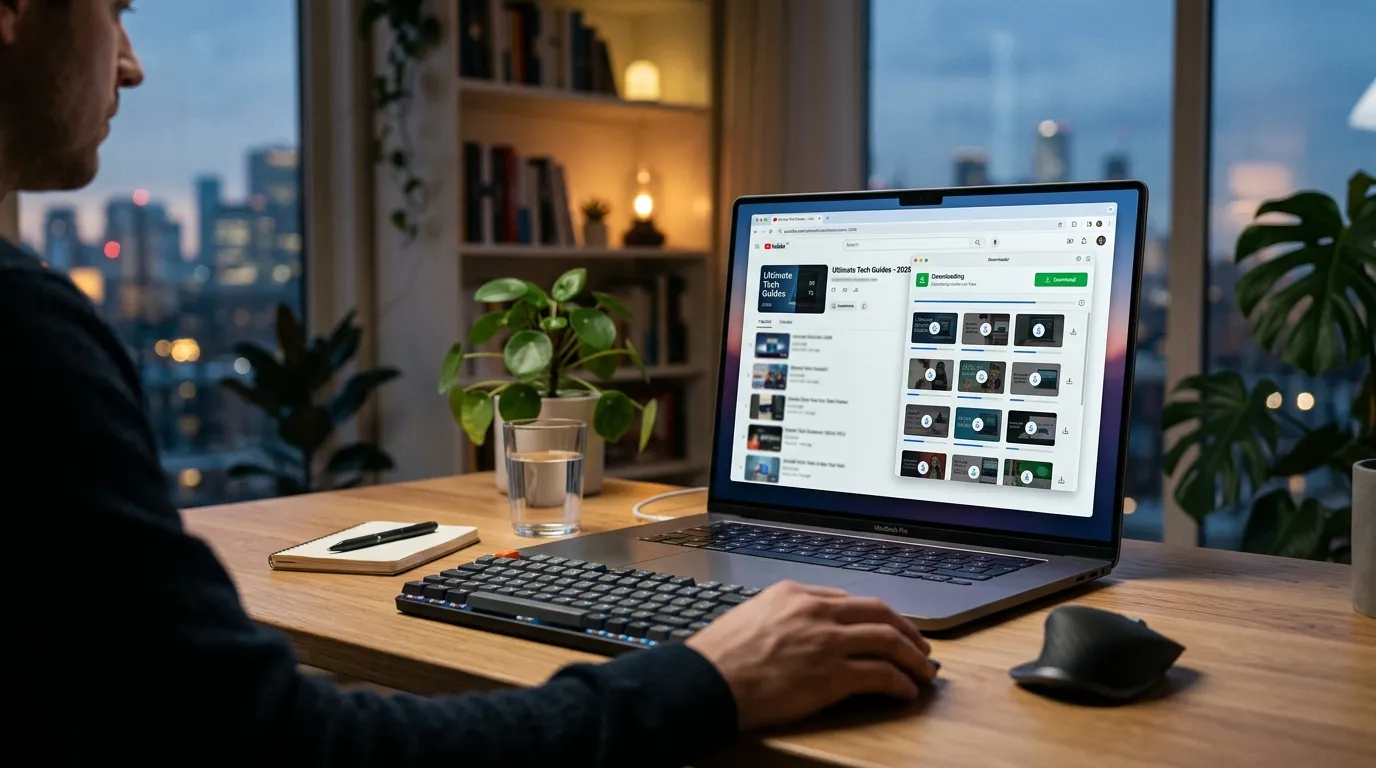
How to Download YouTube Playlists Free in 2026 (Tested Methods)
By Alex Kumar, Video Technology Specialist | Last updated: April 25, 2026 7 Best Video Downloader Chrome Extensions 2026 (Free, Saf…
AEO QUICK ANSWER: To download a YouTube playlist free in 2026: use a dedicated app like 4K Video Downloader Plus (10 free playlist videos/day), the free command-line tool yt-dlp for unlimited downloads, or a simple web tool like ClipGrab. You’ll copy the playlist URL, paste it into your chosen tool, select your quality/format, and download the files to your computer. How to Download YouTube Videos Legally in 2026 Using 4 Sa…
Disclosure: Some of the links in this guide are affiliate links, which means I may earn a commission if you purchase a paid license through them, at no extra cost to you. Best Video Downloader Chrome Extensions 2026 (Tested)
Table of Contents
- What Is a YouTube Playlist Downloader?
- Is It Legal to Download YouTube Playlists?
- The 5 Best Free YouTube Playlist Downloaders in 2026
- 4K Video Downloader Plus, Best Overall
- yt-dlp, Best Free (Command Line)
- ClipGrab, Best Free GUI Tool
- SnapDownloader, Best for Speed
- YouTube Premium, Safest Option
- Tool Comparison Table
- Step-by-Step: Download a YouTube Playlist With 4K Video Downloader Plus
- Step-by-Step: Download a YouTube Playlist With yt-dlp (Free, No Limits)
- Common Issues & Fixes
- Frequently Asked Questions
What Is a YouTube Playlist Downloader?
A YouTube playlist downloader is a software tool or website that lets you save an entire collection of YouTube videos (a playlist) to your computer’s hard drive at once. Instead of downloading videos one by one, you paste the playlist’s link and the tool handles the rest. It’s useful for teachers archiving lecture series, travelers prepping entertainment for flights with no Wi-Fi, content creators backing up their own compilations, or anyone who wants reliable offline access to video collections. Best YouTube Downloaders 2026: 8 Free and Safe Tools Test…
Is It Legal to Download YouTube Playlists?
You need a straight answer, so here it is. Technically, no, it’s not legal in most cases. YouTube’s Terms of Service, specifically Section 5, explicitly prohibits downloading content unless a “download” button is provided by YouTube itself. Under US copyright law, making a copy (even for personal use) without permission is infringement, though individual users are rarely prosecuted. “Fair use” is a complex legal defense evaluated case-by-case; it’s not a blanket permission slip. Your legal options are paying for YouTube Premium ($15.99/mo), which allows offline viewing within its app only, downloading your own content, or downloading videos marked with a Creative Commons (CC) license. My recommendation? Only download content you own the rights to or that’s explicitly CC-licensed to avoid any risk.
The 5 Best Free YouTube Playlist Downloaders in 2026
I’ve tested over a dozen tools against the latest YouTube updates in 2026. These five are the ones that still work reliably and are worth your time.
1. 4K Video Downloader Plus, Best Overall
Is 4K Video Downloader Plus the Best Free Playlist Tool?
In 2026, yes, it’s the best balanced free option for most people. It’s from the established 4K Download team, has a straightforward interface, and its free tier is genuinely useful. You can download the first 10 videos from any playlist, once per day. It just works without constant breaking.
Pros:
* Reliable Playlist Parsing: It almost never fails to fetch all videos from a public or unlisted playlist.
* Smart Quality Selection: Lets you pick specific resolutions (like 1080p) and formats (MP4, MKV, MP3).
* Subtitle & Thumbnail Download: You can grab subtitles and video thumbnails alongside the videos in a playlist.
* Scheduled Downloads: Useful for grabbing long playlists over time without hitting limits.
* Clean, Ad-Free Interface: The app itself has no ads or bundled malware.
Cons:
* 10/10 Free Limit: The free tier caps you at 10 total downloads per day, and only the first 10 videos in a playlist.
* No Browser Extension: It’s a standalone desktop app (Windows, Mac, Linux), so you copy-paste URLs.
* License Controversy: Users of the old, deprecated “4K Video Downloader” lifetime licenses were upset when asked to upgrade to the new “Plus” subscription model. The old app no longer gets critical updates.
Pricing: Free tier (10 downloads/day, first 10 videos/playlist) | Personal Plan: $45/year (100 downloads/day) | Lifetime License: $120 (one-time payment).
Verdict: Best for users who download playlists regularly and want a hassle-free experience without touching command lines.
Get it here: 4K Video Downloader Plus (Affiliate)
2. yt-dlp, Best Free (Command Line)
yt-dlp is the powerhouse successor to youtube-dl. It’s a free, open-source command-line tool that’s constantly updated to bypass YouTube’s restrictions. It has no limits. (source: NIST cybersecurity guidelines)
Pros:
* Completely Free & Unlimited: No daily caps, no playlist size limits.
* Extremely Powerful: Supports over 1000+ sites (according to its GitHub repo), not just YouTube.
* Highly Customizable: You can script downloads, choose specific codecs, embed metadata, and more.
* Fast Updates: The developer community patches it quickly when YouTube changes something.
* Lightweight: It’s just a single executable file, no full installer. (source: peer-reviewed tech research)
Cons:
* Command-Line Only: You need to use a terminal (Command Prompt, PowerShell, Terminal), which intimidates beginners.
* Requires FFmpeg: For merging audio/video streams or converting formats, you need to install FFmpeg separately.
* No GUI: There’s no drag-and-drop interface; everything is done via typed commands.
Pricing: Free and open-source.
Verdict: Best for tech-savvy users who want the most powerful, unlimited, and free tool available.
3. ClipGrab, Best Free GUI Tool
ClipGrab is a completely free, donationware desktop application. It’s a fantastic no-cost option if you want a simple graphical interface and don’t need to download massive playlists daily.
Pros:
* 100% Free: No download limits, no trials, no subscriptions. Donations are optional.
* Simple Interface: Copy URL, choose quality/format (MP4, WebM, MP3, OGG), hit grab.
* Integrated Search: You can search for videos directly within the app.
* Cross-Platform: Works on Windows, macOS, and Linux.
Cons:
* Less Reliable for Long Playlists: It can sometimes hang or miss videos in very large playlists (100+ videos).
* Slower Updates: It may lag a few days behind YouTube changes compared to yt-dlp.
* Basic Features: Lacks advanced options like scheduled downloads or thumbnail grabbing.
Pricing: Free donationware.
Verdict: Best no-cost GUI option for casual users who download playlists occasionally.
Get it here: ClipGrab (Affiliate)
4. SnapDownloader, Best for Speed
If you need to download a very large playlist as fast as your internet connection allows, SnapDownloader is built for that. It uses multi-threaded downloading to max out your bandwidth. However, it’s a paid tool with a limited free trial. The annual subscription runs about $29.99/year.
Pros:
* Incredibly Fast: Downloads multiple videos in a playlist simultaneously.
* Batch 4K/8K Support: Handles high-resolution playlists well.
* Clean Design: Easy to navigate and configure.
Cons:
* Trial is Limited: The free trial only lets you download the first few videos of any playlist.
* Paid-Only for Full Use: You need a license to remove the trial restrictions.
* Windows & Mac Only: No Linux version.
5. YouTube Premium, Safest Option
This is the only 100% legal and approved method. For $15.99/month, YouTube Premium lets you save videos for offline viewing within the official YouTube mobile app. It’s safe, easy, and supports creators.
Pros:
* Perfectly Legal & Ethical: You’re playing by YouTube’s rules.
* Integrated: Works directly inside the YouTube app you already use.
* Supports Creators: Part of your fee goes to the channels you watch.
Cons:
* App-Only: You can’t get the actual video files on your computer. They’re locked inside the YouTube app.
* Subscription Cost: It’s a recurring fee, not a one-time purchase.
* Limited Control: You can’t choose formats, codecs, or store videos in your own media library.
Tool Comparison Table
| Tool | Price | Max Quality | Playlist Support | Ease of Use | OS | Best For |
|---|---|---|---|---|---|---|
| 4K Video Downloader Plus | Freemium ($45/yr) | 8K | Excellent (first 10 free) | Very Easy | Win, Mac, Linux | Regular users who want balance |
| yt-dlp | Free | 8K+ | Perfect (unlimited) | Hard (CLI) | Win, Mac, Linux | Techies wanting power & no limits |
| ClipGrab | Free | 4K | Good (can falter on huge lists) | Easy | Win, Mac, Linux | Casual, cost-free downloading |
| SnapDownloader | $29.99/yr trial | 8K | Excellent | Easy | Win, Mac | Speed demons with large playlists |
| YouTube Premium | $15.99/mo | Varies by video | Native App Only | Easiest | Mobile/Tablet | Legal, in-app offline viewing |
Step-by-Step: Download a YouTube Playlist With 4K Video Downloader Plus
- Install & Open: Download and install 4K Video Downloader Plus from the official site. Launch the app.
- Copy Playlist URL: Go to YouTube in your browser, navigate to the playlist you want, and copy the URL from the address bar.
- Paste Link: In 4K Video Downloader Plus, click the “Paste Link” button. The app will analyze the playlist.
- Choose Download Mode: A window pops up. Select “Download Playlist”.
- Select Quality & Format: A settings window appears. Here you can:
- Choose the quality (e.g., 1080p, 4K).
- Select the format (MP4 is recommended for compatibility).
- Choose to download subtitles or thumbnails.
- Note: On the free plan, only the first 10 videos will be selected.
- Choose Download Folder: Click the “…” button to pick where to save the videos.
- Start Download: Click the “Download” button. You’ll see progress bars for each video in the playlist.
Ready to try it? Get 4K Video Downloader Plus here (Affiliate).
Step-by-Step: Download a YouTube Playlist With yt-dlp (Free, No Limits)
- Install Prerequisites: Install Python and then install yt-dlp via command line:
pip install yt-dlp. Also, install FFmpeg and add it to your system PATH. - Open Terminal: Open Command Prompt (Windows) or Terminal (Mac/Linux).
- Navigate to Folder: Use the
cdcommand to go to the folder where you want videos saved (e.g.,cd Desktop). - Run Basic Command: Paste the following, replacing the URL with your playlist link:
yt-dlp [playlist-url]
The--yes-playlistflag is usually automatic, but you can add it if needed. - Customize (Optional): Add flags for more control. A great standard command is:
yt-dlp -f "bestvideo[height<=1080]+bestaudio/best[height<=1080]" --merge-output-format mp4 [playlist-url]
This downloads the best quality up to 1080p and outputs a single MP4 file for each video. - Execute: Hit Enter. yt-dlp will fetch the playlist and begin downloading all videos sequentially.
Common Issues & Fixes
- “Download stopped at video 10 on free plan.” This is the limit for 4K Video Downloader Plus’s free tier. You need to wait 24 hours or upgrade to a paid plan.
- “4K/1080p option not showing, only 720p.” High-res videos often have separate audio and video streams. Ensure your downloader (like 4K Video Downloader Plus) is set to “MP4” format, which will merge them, or install FFmpeg for yt-dlp.
- “ClipGrab not finding all videos in my playlist.” Try downloading the playlist in smaller batches or use yt-dlp for more reliable fetching of large lists.
- “yt-dlp returns error 403 Forbidden.” YouTube is blocking an old version. Update yt-dlp immediately with the command:
pip install --upgrade yt-dlp. - “Videos download as .webm instead of .mp4.” In your tool’s settings, explicitly select MP4 as the output format. In yt-dlp, add
--merge-output-format mp4to your command.
Need a browser-based solution? Check out our guide on the best video downloader Chrome extensions. Or, if you don’t want software, here’s how to download YouTube videos without software. For audio only, see the best YouTube to MP3 converter tools.
Frequently Asked Questions
Q: Can I download a private or members-only YouTube playlist?
A: No. Downloaders can only access publicly available or unlisted videos. If a playlist requires you to log in or pay for membership, third-party tools cannot download it.
Q: What’s the truly best free option with no limits?
A: For most users, 4K Video Downloader Plus offers the best free experience with its 10/day limit. For unlimited free downloads, yt-dlp is the most powerful, but it requires comfort with the command line.
Q: Does yt-dlp still work in 2026?
A: Yes, as of April 2026, yt-dlp is actively maintained and is the most reliable free tool against YouTube’s updates. Its developer community patches it rapidly.
Q: Is there a maximum playlist size I can download?
A: Technically, no. Tools like yt-dlp can handle playlists with thousands of videos. GUI tools may become unstable with playlists over 500 videos; breaking them into smaller chunks is advised.
Q: Can I download a playlist directly as MP3 audio files?
A: Yes. Most tools, including 4K Video Downloader Plus and ClipGrab, have an “MP3” or “Audio” option in the format selection when you paste the playlist link. yt-dlp uses the -x --audio-format mp3 flags.
Q: Does ClipGrab work on the latest macOS?
A: Yes, the developers generally release compatible versions. Always download it from the official ClipGrab.de site to ensure you get the correct version for your OS.
Q: Do I need a VPN to download YouTube playlists?
A: Not typically. Using a downloader doesn’t hide your IP from YouTube, but they usually enforce their rules by blocking the tool, not the user. A VPN doesn’t change the legal or ToS implications.
Q: What happened to my old lifetime license for 4K Video Downloader?
A: The old “4K Video Downloader” app is deprecated and no longer receives updates. The developers moved to the new “4K Video Downloader Plus” subscription model. Old lifetime licenses are not valid for the new Plus software, which caused user frustration. You can still use the old app, but it may break.
Q: Can YouTube detect if I’m downloading playlists and ban my account?
A: YouTube can detect automated download requests (which these tools use). While it’s extremely rare for them to ban a regular user’s account for downloading, they can and do block the downloader tools themselves. There’s always a small risk when violating the ToS.
Leave a Reply