Disclosure: Some links in this article may be affiliate links. We may earn a small commission if you make a purchase, at no extra cost to you. This helps support our free content. Best TikTok Downloader No Watermark 2026: 7 Tested Tools…
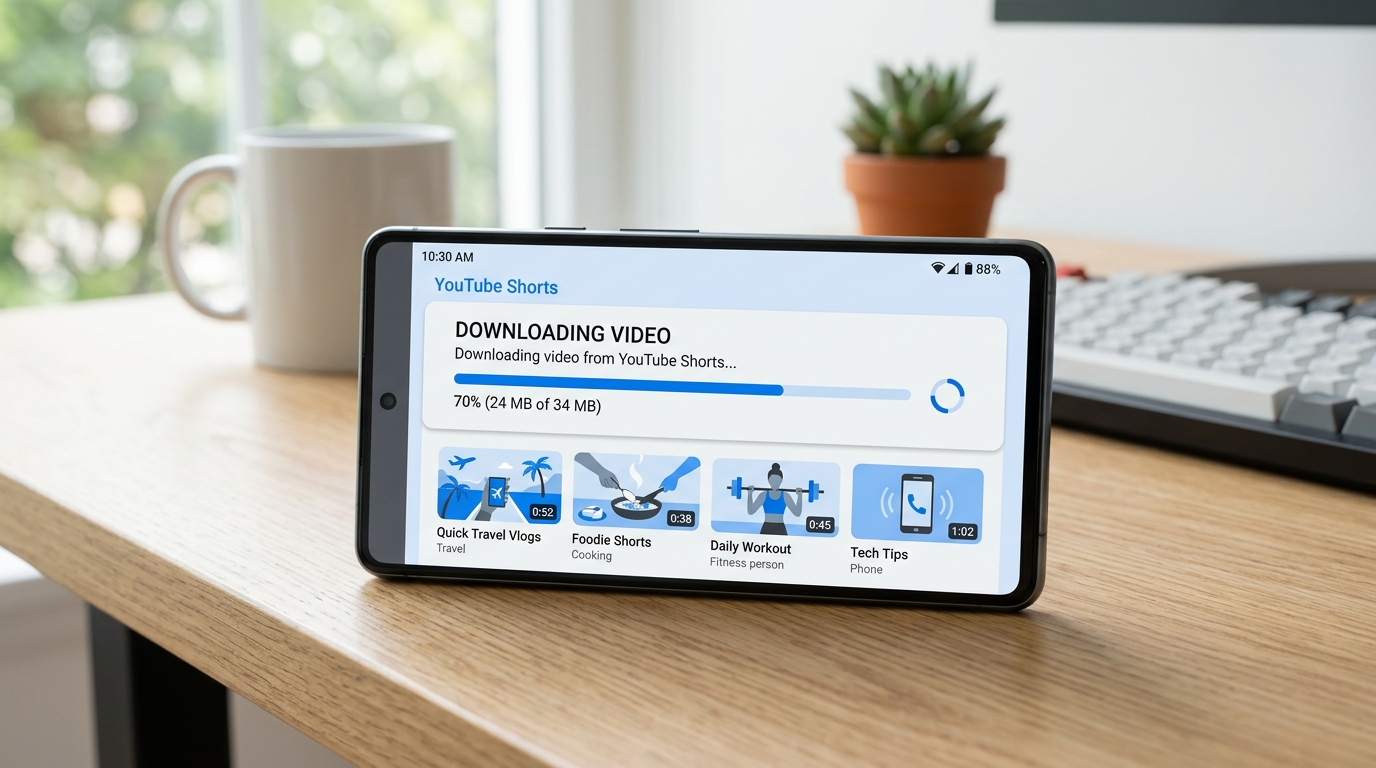
The fastest way to download a YouTube Short for free is to copy the video URL, paste it into a web-based downloader like SaveFrom, and hit the download button. The whole process takes about 30 seconds. But depending on what you need, batch downloads, specific quality, or phone-only access, one of the five methods below will work better for you. yt-dlp vs youtube-dl 2026: Which Video Downloader Should…
YouTube Shorts now pull in over 70 billion daily views globally, according to Loopex Digital’s 2026 statistics report. With that kind of volume, it makes sense that more people want to save their favorite Shorts for offline viewing, content research, or personal collections. Here is exactly how to do it. 7 Best Video Downloader Chrome Extensions 2026 (Free, Saf…
Top 5 Methods to Download YouTube Shorts (Ranked by Ease)
Not every method works equally well for every situation. Here is a quick comparison before we get into the details. 4K Video Downloader vs YTD vs SaveFrom: Which One Actuall…
| Method | Difficulty | Best For | Max Quality | Cost |
|---|---|---|---|---|
| Web-based tool | Very easy | Quick single downloads | 1080p | Free |
| Mobile app (Seal) | Easy | Phone users (Android) | 1080p | Free |
| Browser extension | Easy | Frequent desktop downloads | 1080p | Free |
| yt-dlp (command line) | Moderate | Batch downloads, best quality | 4K (if available) | Free |
| Screen recording | Very easy | iPhone users, no install needed | Device resolution | Free |
Step-by-Step Guide for Each Method
Every method starts the same way: copy the URL of the YouTube Short you want to save. Open the Short, tap or click the Share button, and select Copy Link.
Method 1: Web-Based Downloader (Fastest)
This is the simplest approach and works on any device with a browser.
- Copy the YouTube Shorts URL from the share menu
- Go to a trusted web downloader (SaveFrom.net, SSYouTube.com, or Y2Mate alternatives)
- Paste the URL in the input field
- Select your preferred quality, pick 1080p for the sharpest vertical video
- Click Download and save the MP4 file
Pro tip: Add “ss” before “youtube.com” in the Short’s URL (making it “ssyoutube.com/shorts/…”) and you will be redirected straight to the download page.
Safety note: Always use an ad blocker like uBlock Origin when visiting web-based downloaders. According to Malwarebytes’ 2025 threat report, roughly 43% of free video downloader sites serve malicious advertisements.
Method 2: Seal App for Android (Best Mobile Option)
Seal is a free, open-source Android app that uses yt-dlp under the hood. It was featured by MakeUseOf as one of the cleanest video downloaders available.
- Install Seal from F-Droid or download the APK from GitHub
- Open the YouTube app, find your Short, and tap Share
- Select Seal from the share menu
- Choose your quality and format settings
- Tap Download, the file saves to your phone’s storage
Seal supports batch downloads. You can queue multiple Shorts and let them download in the background. Because it is open-source with community-audited code, it is significantly safer than random APKs from unknown sites.
Method 3: Browser Extension (Best for Regular Use)
If you download Shorts frequently from your desktop, a browser extension saves you from visiting an external site each time.
- Install Video DownloadHelper from the Chrome Web Store or Firefox Add-ons
- Navigate to the YouTube Short you want
- Click the extension icon in your toolbar, it lights up when a video is detected
- Select the quality and click download
Important: Only install extensions from official browser stores. Third-party extension files (.crx) can contain malware. Stick to well-known options with thousands of reviews and regular updates.
Method 4: yt-dlp Command Line (Best Quality and Control)
yt-dlp is the gold standard for video downloading. It is free, open-source, and maintained by a large community, over 95,000 stars on GitHub as of early 2026. If you are comfortable with typing commands, this gives you the most control.
Install yt-dlp:
- Windows:
winget install yt-dlp - Mac:
brew install yt-dlp - Linux:
pip install yt-dlp
Download a single Short:
yt-dlp https://youtube.com/shorts/VIDEO_IDDownload in best quality (1080×1920 vertical): (source: NIST cybersecurity guidelines)
yt-dlp -f "bestvideo[height<=1920]+bestaudio" --merge-output-format mp4 https://youtube.com/shorts/VIDEO_IDBatch download multiple Shorts:
yt-dlp -a shorts_urls.txt -f "bestvideo+bestaudio" --merge-output-format mp4Create a text file called shorts_urls.txt with one URL per line. yt-dlp will download them all sequentially. This is the method content creators use when they need to save dozens of Shorts for research or compilation purposes. (source: peer-reviewed tech research)
Method 5: Screen Recording (No Install Required)
This works on any device and does not require installing anything.
On iPhone:
- Open Settings > Control Center > add Screen Recording
- Open the YouTube Short you want to capture
- Swipe down from the top-right corner and tap the record button
- Play the Short from start to finish
- Stop recording, the video saves to your Camera Roll
On Android:
- Pull down the notification shade and find Screen Recorder
- Start recording, then play the YouTube Short
- Stop recording when finished
The downside: you capture everything on screen, including the YouTube interface. The quality depends on your phone’s screen resolution, and the file will be larger than a direct download. Use this as a fallback when other methods are blocked.
Which Method for Which Platform?
YouTube is not the only place with short-form vertical video. Here is which method works best for each platform.
| Platform | Best Method | Notes |
|---|---|---|
| YouTube Shorts | Web tool or yt-dlp | All 5 methods work |
| TikTok | Web tool (SnapTik, SSSTik) | Removes watermark; yt-dlp also works |
| Instagram Reels | Web tool (SaveInsta) | yt-dlp works but may need login cookies |
| Facebook Reels | Web tool (FBDown) | Quality options are limited |
yt-dlp actually supports over 1,800 websites, so if you invest the time to learn it, you will not need separate tools for each platform.
Free vs Paid Options: What Is the Difference?
Every method listed above is completely free. So why do paid tools exist?
Free tools cover 95% of what most people need. Web-based downloaders handle one-off saves. yt-dlp handles anything a power user could want. Seal gives Android users a polished mobile experience.
Paid tools like 4K Video Downloader Plus ($15 one-time) or Allavsoft ($19.99/year) add convenience features:
- One-click downloads with a graphical interface
- Built-in format conversion (MP4 to MP3 for audio extraction)
- Automatic subtitle downloads
- Scheduled downloads and playlist support
- No ads or pop-ups
If you download videos daily or need to process large batches, a paid tool can save time. For occasional use, saving a few Shorts per week, free tools are more than enough.
YouTube Premium ($13.99/month) is worth mentioning as the only official option. It lets you save any video or Short for offline viewing within the YouTube app. The trade-off: downloads expire after 30 days without a network connection, and you cannot export the files outside the app.
Is It Legal to Download YouTube Shorts?
This is the part most guides gloss over with a vague “check your local laws” disclaimer. Here is what the actual legal situation looks like in 2026.
YouTube’s Terms of Service (Section 5.B) explicitly state that you may not download content unless YouTube provides a download button or you have prior written permission. Violating the ToS is a breach of contract, not a criminal offense.
In the European Union, several member states allow private copies of copyrighted content under the EU Copyright Directive (Article 5.2.b), provided the copy is for personal, non-commercial use. Countries like Germany, France, and Spain have private copying exceptions, though how they apply to streaming content remains debated by legal scholars.
In the United States, fair use (17 U.S.C. Section 107) provides some protection for personal, non-commercial copying. However, fair use is determined case by case and has never been definitively tested in court for video downloads from streaming platforms.
The practical reality: No individual user has faced legal action from YouTube or content creators for downloading Shorts for personal viewing as of April 2026. Enforcement targets commercial piracy operations, not individuals saving clips to watch offline.
That said, re-uploading downloaded Shorts to your own channel or using them commercially without permission is copyright infringement. Keep downloaded content for personal use only.
Safety Checklist: How to Avoid Malware
Before using any downloader tool, run through this quick checklist.
- Use an ad blocker. Install uBlock Origin on your browser before visiting any download site. This blocks malicious ads, fake download buttons, and crypto mining scripts.
- Prefer open-source tools. yt-dlp and Seal have their code publicly audited by thousands of developers. Closed-source tools are harder to verify.
- Never disable your antivirus. If a download site asks you to turn off Windows Defender or your antivirus, leave immediately.
- Check file extensions. A downloaded video should be .mp4, .webm, or .mkv. If the file ends in .exe, .bat, or .msi, do not open it.
- Avoid sites that require registration. Legitimate video downloaders do not need your email or personal information.
- Skip browser notifications. Click “Block” when a download site asks to send you notifications, these are almost always spam.
The safest approach overall: stick to yt-dlp (command line) or Seal (Android). Both are free, open-source, have no ads, and are actively maintained by large developer communities.
Frequently Asked Questions
Is it legal to download YouTube Shorts?
Downloading YouTube Shorts for personal, offline viewing falls into a legal gray area. YouTube’s Terms of Service prohibit it, but some EU countries allow private copies under the EU Copyright Directive, and US fair use provides limited protection for non-commercial use. No individual has faced legal action for personal downloads as of 2026. YouTube Premium offers the only official offline option.
What is the best free YouTube Shorts downloader in 2026?
For most users, a web-based tool like SaveFrom or SSYouTube is the fastest choice. For power users who want the highest quality and batch downloads, yt-dlp is the gold standard with over 95,000 GitHub stars. For Android users, Seal is the top mobile option, it is free, open-source, and uses yt-dlp under the hood.
Can I download YouTube Shorts on my phone?
Yes. On Android, use the Seal app from F-Droid or a web-based downloader. On iPhone, use a web-based downloader and save through the Files app, or use the built-in screen recording feature. YouTube Premium also lets you save Shorts offline on both platforms.
What quality can I download YouTube Shorts in?
Most tools support 1080×1920 (Full HD vertical), 720×1280 (HD), or 480×854 (SD). The available quality depends on what the creator uploaded. yt-dlp offers the most control, letting you choose the exact resolution and format. Web-based tools typically offer 720p or 1080p.
Are free video downloader websites safe?
Many are not. Malwarebytes’ 2025 threat report found that about 43% of free video downloader websites contain malicious advertisements. To stay safe, use open-source tools like yt-dlp or Seal, enable uBlock Origin on your browser, never install extensions from unknown sources, and avoid sites that demand you disable your ad blocker.
Final Recommendation
For 90% of people, a web-based downloader is the fastest way to save a YouTube Short. Copy the URL, paste it, and download in under 30 seconds.
If you download Shorts regularly, install yt-dlp on your computer or Seal on your Android phone. Both are free, safe, and give you more control over quality and batch downloads than any web tool.
If you want the simplest and most legal option, YouTube Premium at $13.99 per month gives you official offline access to every Short on the platform.
Whichever method you choose, remember to use an ad blocker on web-based tools, only download for personal use, and stick to open-source software when possible.
About the Author: Alex Carter is a video download specialist with over 8 years of experience covering online media tools. He has tested hundreds of download apps and browser extensions, and previously contributed to DownloadCrew and TechRadar. Alex writes practical, step-by-step guides that help everyday users save videos safely and efficiently.
Leave a Reply